Your shopping cart
Votre panier est vide !


Votre panier est vide !
- Catégories: Professional Websites
- Disponibilité : En Stock

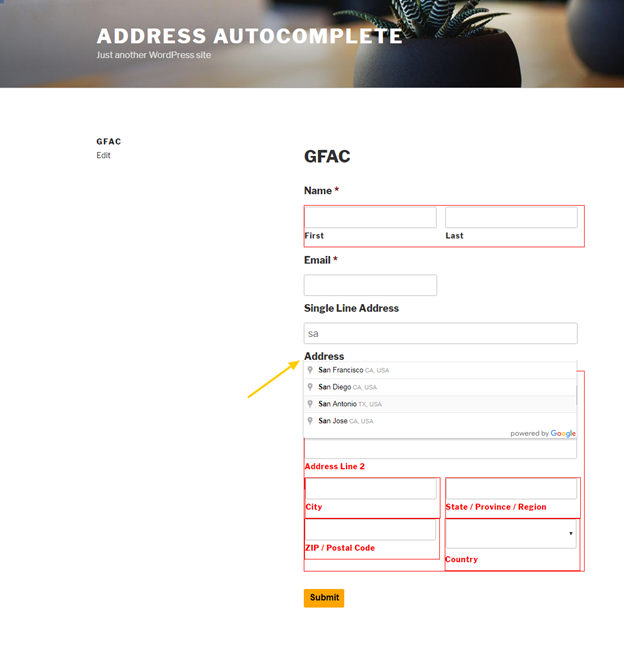
Gravity Forms Address Autocomplete is a WordPress addon that allow customers to enable google places address autocomplete on two text fields types (Address or Single Line Text) by using its name
Using addon you will have an option to use two fields in your form for autocomplete (Address – Single Line Text)
Using address field autocomplete will autofill all other address fields (Zip code, city, country etc…) automatically.
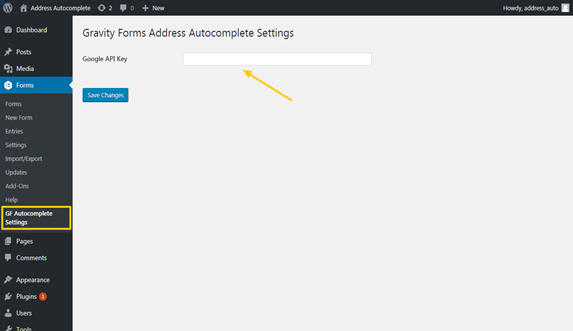
Adding Google API key recommended to allow sending many requests to Google.
Select Forms then GF Autocomplete settings, recommended to add this settings if their will be many API requests.
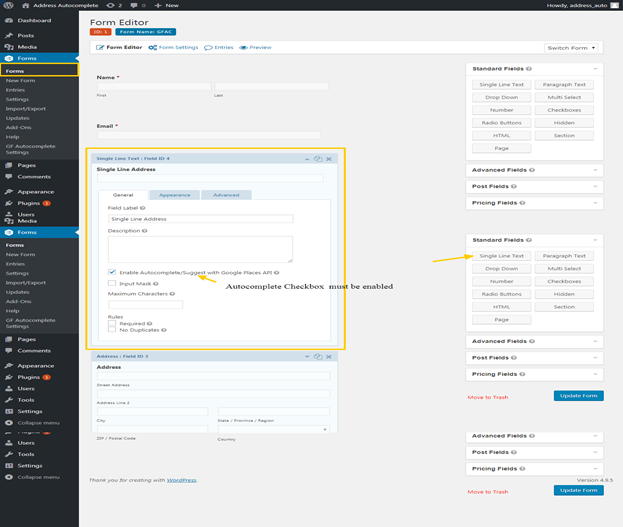
Add Single Line Text.
Select checkbox “Enable Autocomplete Suggest with Google Places API”.
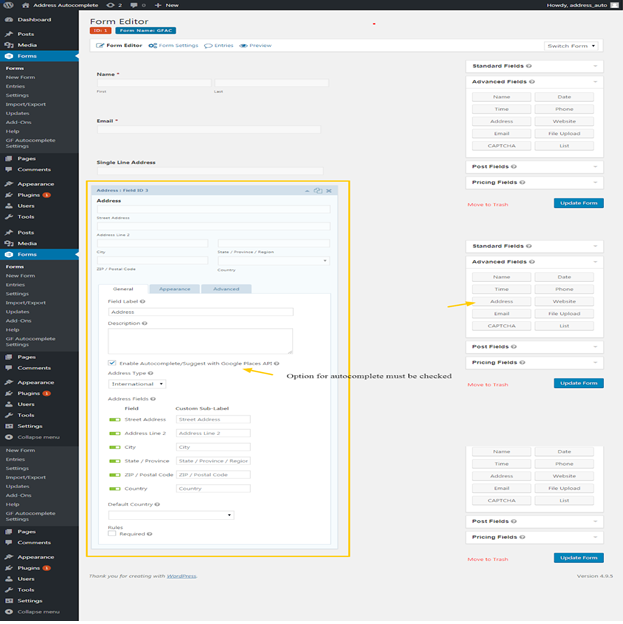
Add Address text field
Select checkbox “Enable Autocomplete Suggest with Google Places API”.
wordpress version 4.2.19 and higher .
Let me help you spend some money :)